Members
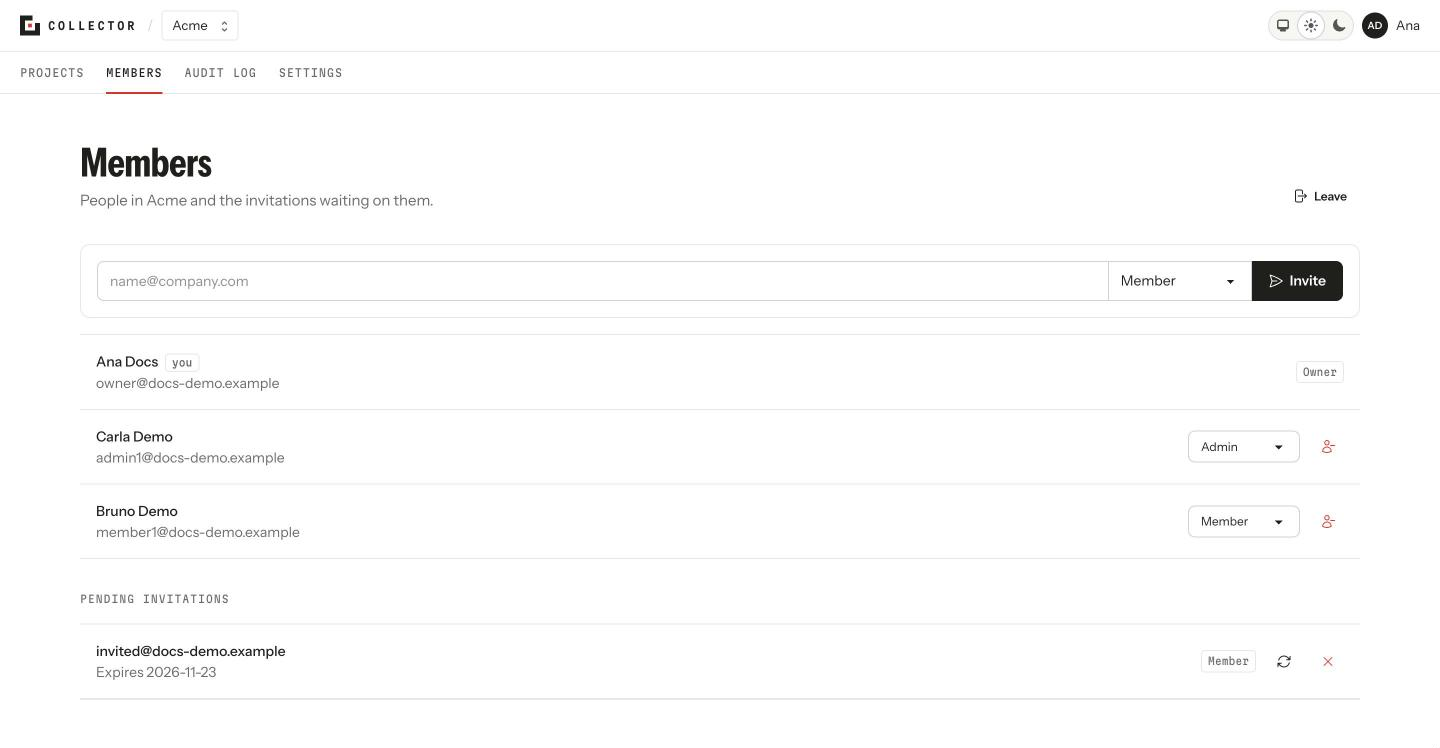
The Members tab shows the organization's people, their role and the pending invitations. Every member sees it; inviting, changing roles and removing people is for admins and owners.
The roles
Member, Admin and Owner. What each one can do is in Core concepts. Your row says you.
Changing someone's role
Pick the new Role on the person's row. The change is immediate, including for the access tokens that person uses in the CLI or the API. The rules:
- An admin can switch people who aren't owners between Member and Admin. They can't touch an owner or make one.
- An owner can change any role, including making someone else an owner.
- Nobody can leave the organization without an owner: the last one can't stop being one.
Removing someone
Remove takes the person out of the organization, with the same rules: an admin can't remove an owner, and the last owner can't be removed. They lose access at once, from the CLI too.
Leaving the organization
Leave takes you out. If you're the last owner, make someone else one first.
Invitations
Inviting is in Inviting your team. Below the members, Pending invitations shows each invitation with its role and its expiry (Expires …), with Resend and Revoke.
Every role change, departure, invitation and removed member goes into the audit log.
From the terminal
collector members list
collector members invite ana@company.com --role member
collector members role ana@company.com admin
collector members remove ana@company.com
collector members leave
collector invitations list